Introduction
🎯 Service Overview
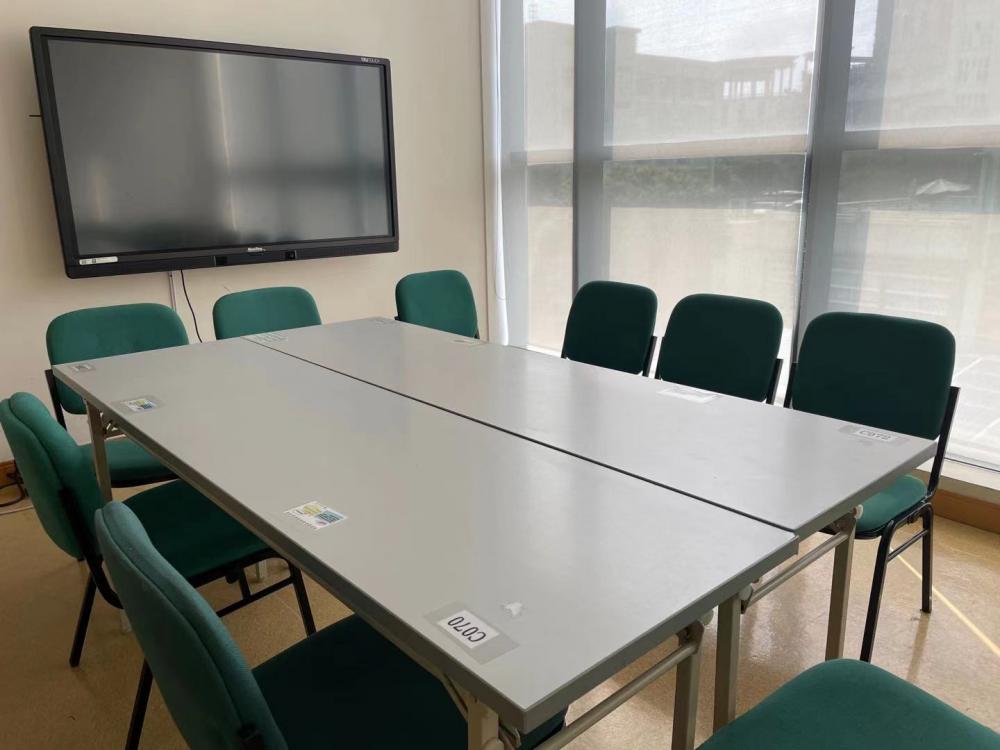
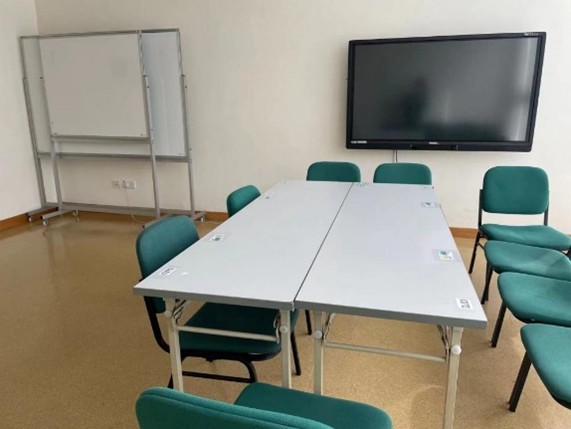
MUST Library provides a comprehensive room booking service to support diverse learning and research needs. We offer various types of rooms including group discussion spaces, conference facilities, personal study areas, and multimedia facilities.
All rooms can be booked in advance through the WeMust APP, providing convenient and flexible access to our facilities.
🏠 Room Types
⏰ Opening Hours
| Location | School Times | Summer & Winter Recess | Holiday |
|---|---|---|---|
| Block N Library | 08:30-22:00 | 09:00-20:45 | 08:30-22:00 |
Group Discussion Rooms

🎯 Application
📖 How to Apply:
Open the "Room Booking" application in the WeMust APP.
Fill in the campus card information of no fewer than the specified number of people for the room.
Enter the theme and time of use for the room.
Submit your application for borrowing.
📞 Contact Us
⚠️ Notices
📋 Important Notices:
Check-in Process: After the reservation, all patrons must approach to the reserved room respectively within 15 minutes of the reserved time, tap "Sign in/Open the door" in the Room Reservation application, or manually scan the QR code to check in. Otherwise, the booking will be cancelled automatically.
One Room Per Time: Only reserve one room per time. To extend the usage time, a new application is needed after the reserved time is over.
Personal Responsibility: You should always take care of your personal valuables/properties. Take away all your items before you leave. We accept no responsibility for the theft, loss or damage of personal items.
Conduct Rules: No eating, drinking, smoking, loud talking or other harassment is allowed.
📚 Regulations
Conference Rooms

🎯 Application
📖 How to Apply:
Open the "Room Booking" application in the WeMust APP.
Fill in the campus card information of no fewer than the specified number of people for the room.
Enter the theme and time of use for the room.
Submit your application for borrowing.
Special Study Room (N210)
🎯 Service Overview
N210 (Special Study Room) is equipped with reading equipment specifically designed for visually impaired readers. The room provides a comprehensive accessibility solution to support diverse learning needs.
🛠️ Equipment Provided
💻 Windows Computer
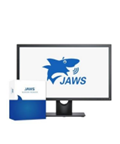
Installed with JAWS Professional screen reading software, which can help read aloud any Doc, email, webpage and application with text in speech.
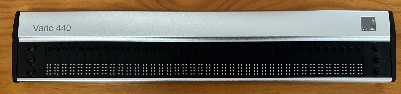
⠿ Vario 440 Braille Display
40-grid braille display providing real-time braille feedback and supporting multiple applications.
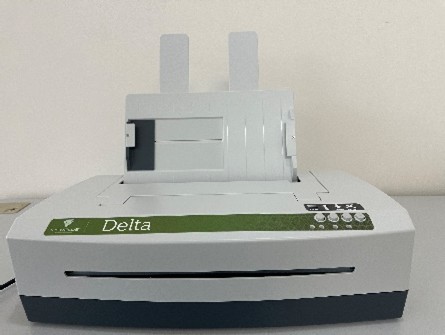
🖨️ VP Delta2 Printer
Dedicated to braille engraving and tactile graphics production, helping visually impaired readers obtain tactile feedback.
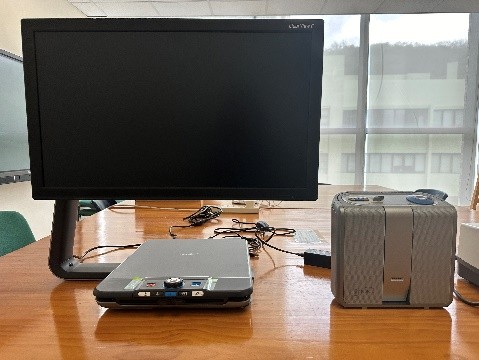
🔍 ClearView C 24" HD Electronic Amplifier
Features ClearReader+ text reader supporting 31 languages including Cantonese, Mandarin, and English.
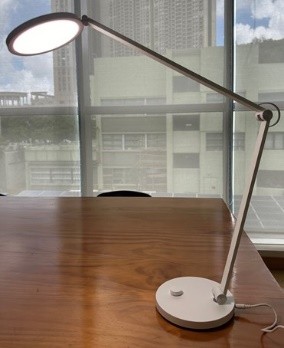
💡 LED Desk Lamp
Adjustable intensity and color temperature to provide a more comfortable reading environment for light-sensitive readers.
📞 Contact Us
⚠️ Notices
Check-in Requirement: After the reservation, all patrons must approach the reserved room respectively within 15 minutes of the reserved time. Tap "Sign in/Open the door" in the Room Reservation application, or manually scan the QR code on the room door to check in. If you fail to check in within the specified time, the booking will be cancelled automatically.
One Room Per Time: Only reserve one room per time. To extend the usage time, a new application is required after the reserved time is over.
Personal Responsibility: You should always take care of your personal valuables and properties. Take away all your items before you leave. We accept no responsibility for the theft, loss or damage of personal items.
Prohibited Conduct: No eating, drinking, smoking, loud talking or other harassment is allowed in the room.
📋 Regulations & Guidelines
Personal Study Rooms

📚 Basic Information
| 👥 Service for | Currently employed faculty members and currently enrolled PhD students. |
| ⏱️ Borrowing Rules | Each room can be borrowed for 1 day per time. |
(N429, N431)
⏱️ Important Notice: Rooms N429 and N431 are prioritized for Bloomberg database use.
All readers of the university can apply to borrow them at the Circulation Service Counter, with a maximum duration of 3 hours each time.
⚠️ Notices & Regulations
🌐 Usage Guidelines
Exclusive use for the applicant; non-transferable.
For academic activities only; no storage of personal items.
Library books must be borrowed before long-term use in the room.
📞 Contact Us
If you have any questions, please contact us.
| Tel: | (+853) 8897 2086 |
| E-mail: | library_cir@must.edu.mo |
Mini Theater

📝 Application
Reservation Process:
Open the "Room Booking" application in the WeMust APP;
Fill in the campus card information of no fewer than 6 people;
Enter the theme and time of use for the room;
Submit the application to complete the reservation.
⚠️ Notices
👥 Capacity & Check-in
Minimum 6 users, maximum 20 users.
Check in via APP or QR code within 15 minutes of the reserved time.
Late check-in results in automatic cancellation.
🎬 Equipment & Usage
Librarians will check the theater 5 minutes before the deadline.
Inform staff of any equipment malfunction; do not repair yourself.
Only reserve one room per time.
🚫 Prohibited Actions: No mobile phones, eating, drinking, smoking, or loud talking. The Library retains the right to interpret all rules.
🔗 Regulations
📞 Contact Us
If you have any questions, please contact us.
| Tel: | (+853) 8897 2086 |
| E-mail: | library_cir@must.edu.mo |