



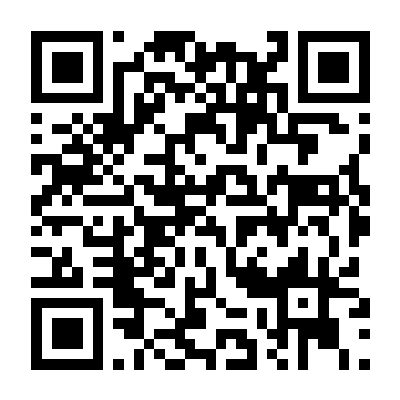
Theses Resources: MUST Theses & Dissertation Collections provides both print papers and online access to the theses and dissertations written by MUST postgraduate students of the University and deposited with the University Library.
💾 Storage Mode [↑]
Closed stacks and Electronic
📋 Loan Rules [↑]
📚 Paper Theses/Dissertations (Included until 2021)
Readers can find the call number of a thesis through the library search system. If the authorization for use of thesis/dissertation is public, readers can go to the circulation counter on the first floor of the library, where library staff will retrieve it on their behalf. A valid ID (such as a campus card) must be provided during registration. If the originality statement is not public, the thesis is not available for borrowing.
💻 Electronic Theses/Dissertations
Electronic copies are provided in two formats: abstracts and full texts. For theses authorized to be made public by their authors, readers can download the electronic full texts online. For detailed instructions, please see → Search Guide
Electronic copies are restricted to academic research and personal study use. In the course of use, if any act in violation of relevant laws and regulations occurs, the user shall bear corresponding legal liabilities.
🖨️ Copying and Scanning Services [↑]
Self-service photocopying and scanning facilities are located on the Library's first floor.
⚠️ Important Notice: Please adhere to copyright regulations—each copy must not exceed 20% of the original document.
🔍 Search Guide [↑]
How to Search for MUST Electronic Theses and Dissertations Using Primo Integrated Query System?
Search Steps:
Visit the library's integrated query system → Click here, and click "Advanced Search";

Click the "Material Type" drop-down menu and select "Dissertations". Set the "Search filters" to "Subject - contains - Macau University of Science and Technology";
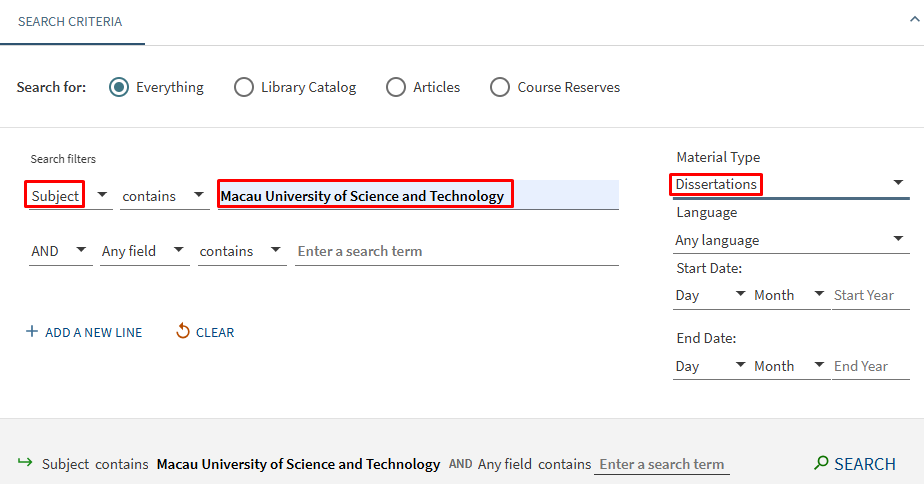
If you have other search requirements, you can "ADD A NEW LINE" below. After filling in, click "SEARCH";
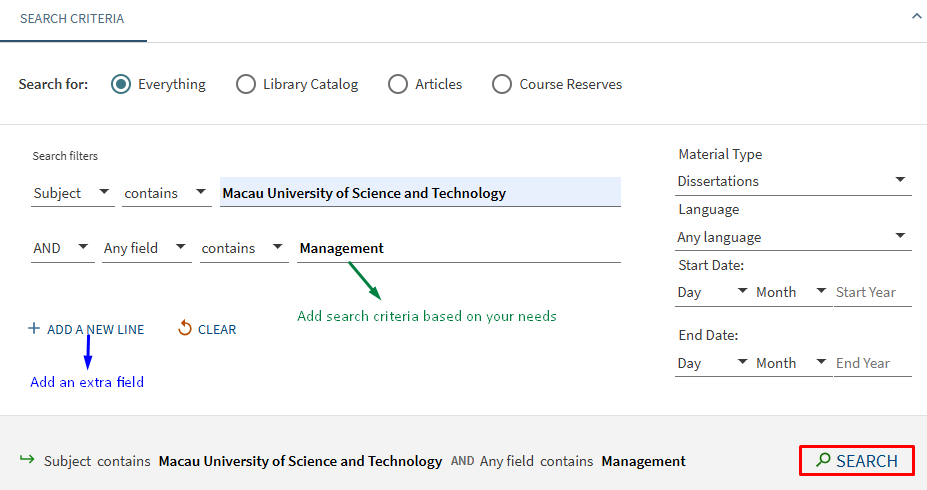
You can now search for dissertations and theses;

Click on the green "Available Online" link in the search results to directly download the Electronic Theses/Dissertations.
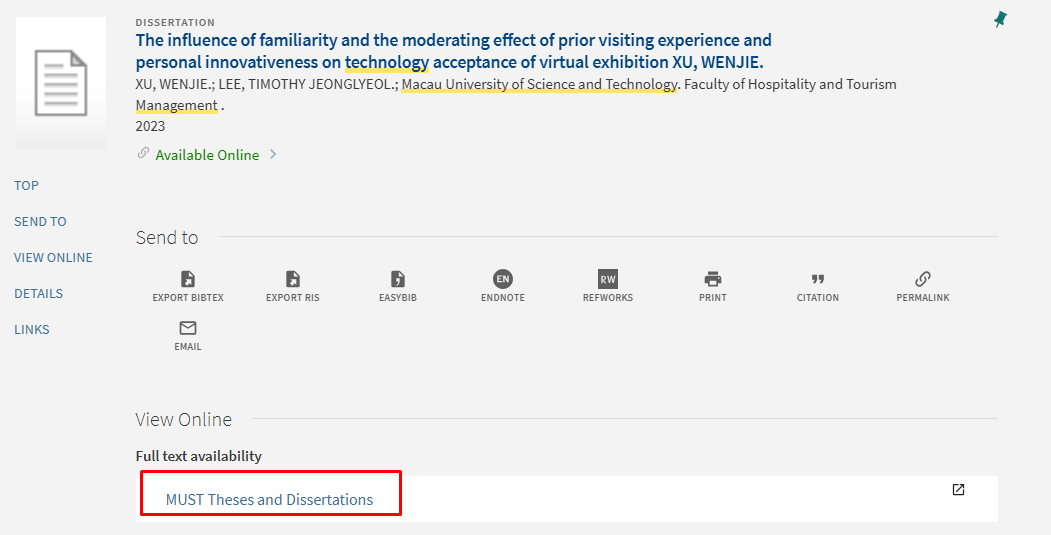
💡 Notice: Papers with grayed-out links in search results are not yet fully available for download. You can click on the details page to read the table of contents, abstract, and other information.



