



Textbook Ordering Guide
(For current students)
This guide will walk you through the complete process of ordering textbooks on the WeMust StudentAPP.
📚 Step 1: Select Ordering Methods [↑]
You have two methods to order textbooks:
📅 Method 1: Order via "Class timetable"
Open the WeMust StudentAPP.
Click on "Class timetable" in the bottom menu bar.
Select any course to enter.
Click "Order" at the "Relevant Textbooks"
📱 Method 2: Order via "MUSTbooks"
Click on the "MUSTbooks" application on WeMust StudentAPP.
Click the "Click me to preorder" button at the top.
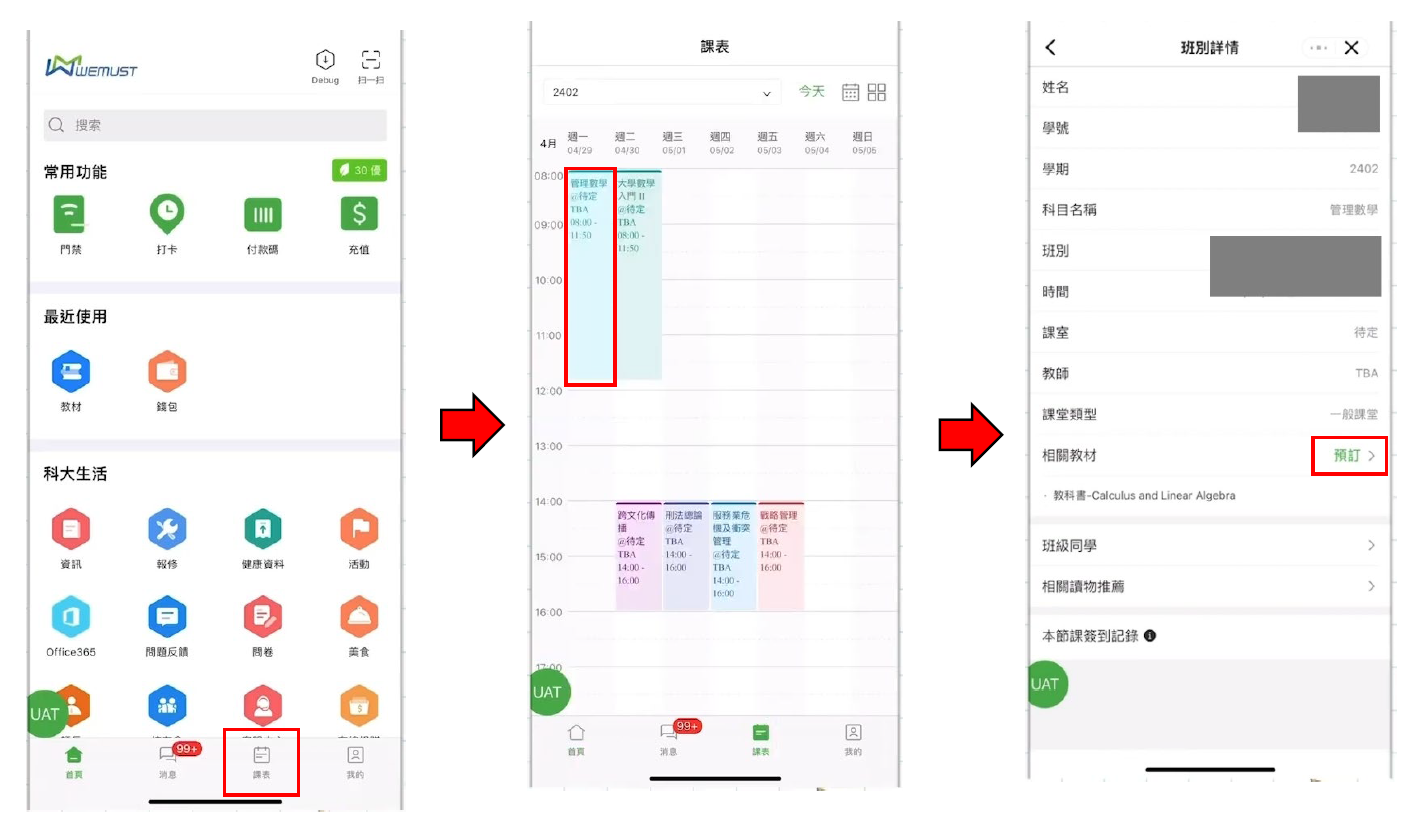
Ordering textbooks via Class timetable
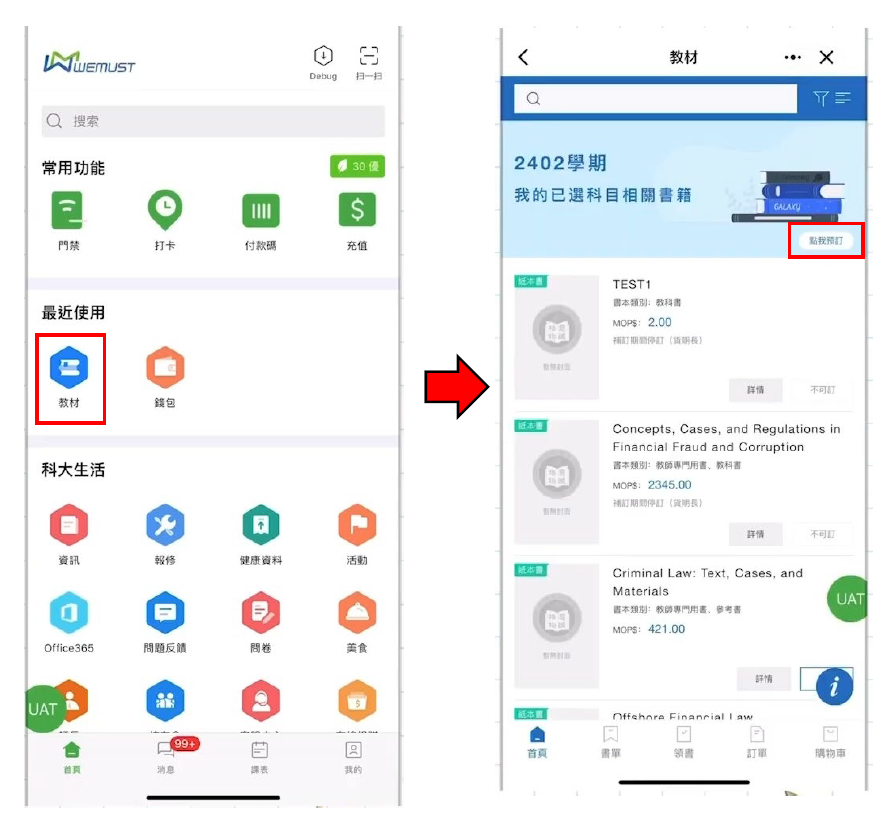
Ordering textbooks via MUSTbooks
✅ Step 2: Confirm and Submit order [↑]
Required textbooks will being listed.
Confirm the textbooks you want to purchase, click "Order" to add them to "Cart".
Click the "Cart" on the bottom right corner.
After verifying the order, click "Submit".
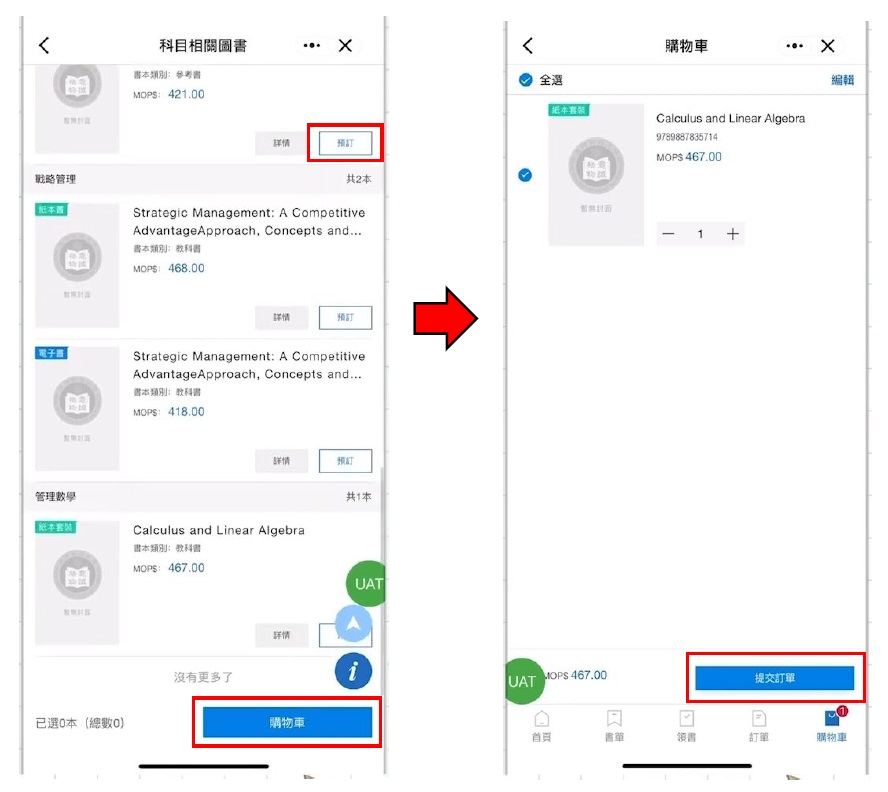
Confirming textbooks and submitting order process
💳 Step 3: Payment [↑]
Click "Pay".
Enter your payment password.
After successful payment, click "Complete".
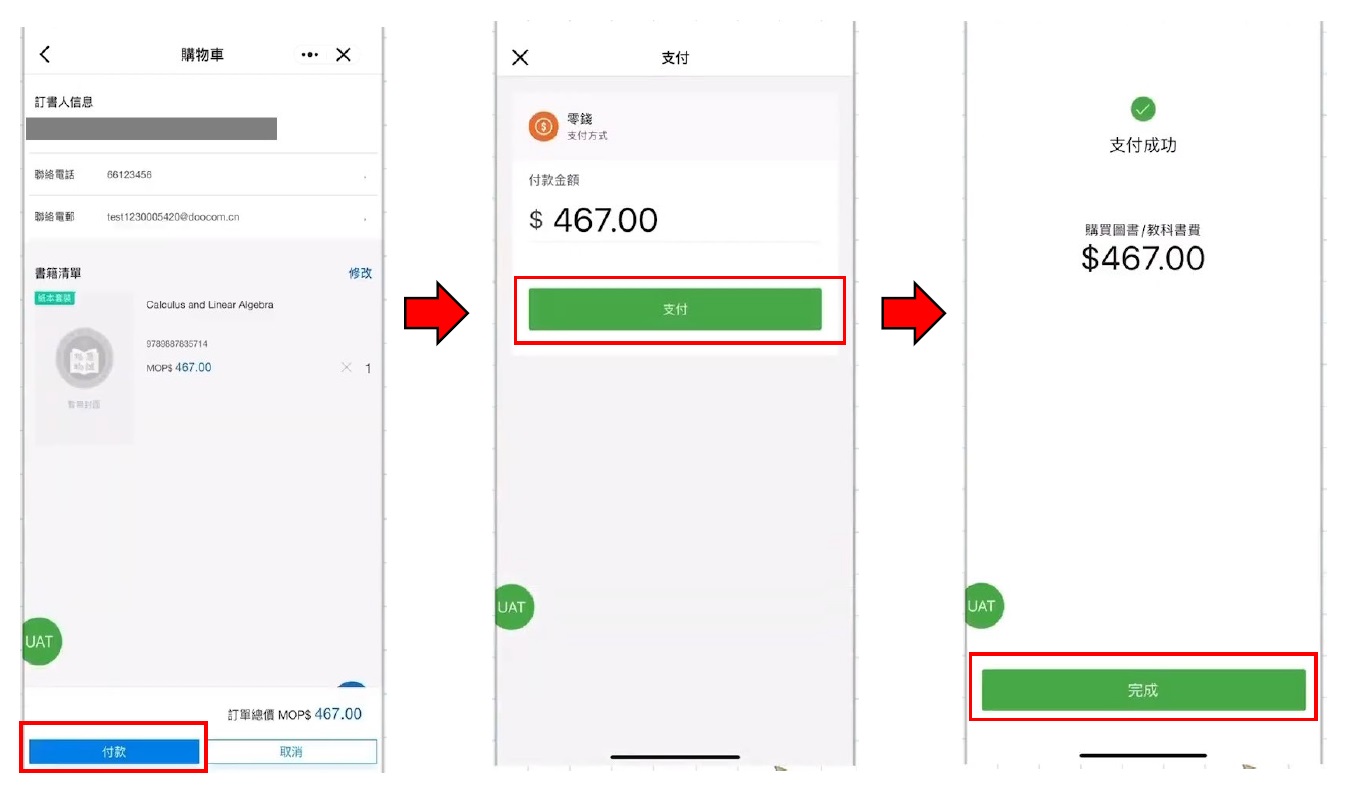
Completing payment process
📖 Step 4: Collection [↑]
📅 Book Collection Appointment (First Semester Only)
Click "View My Orders".
Click "Make an Appointment".
Select "Date", "Time Period" and "Location".
Click "Submit".
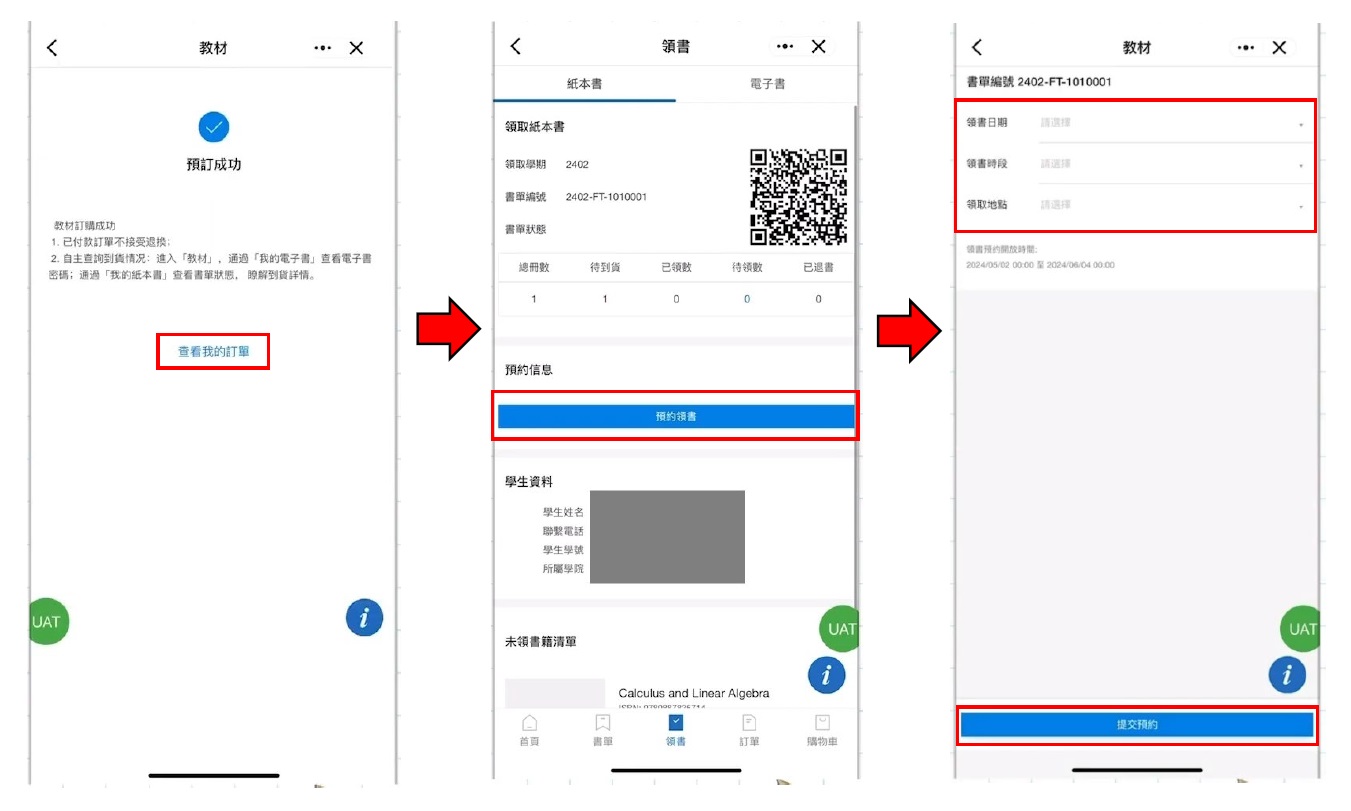
Make an Appointment for collection (First semester only)
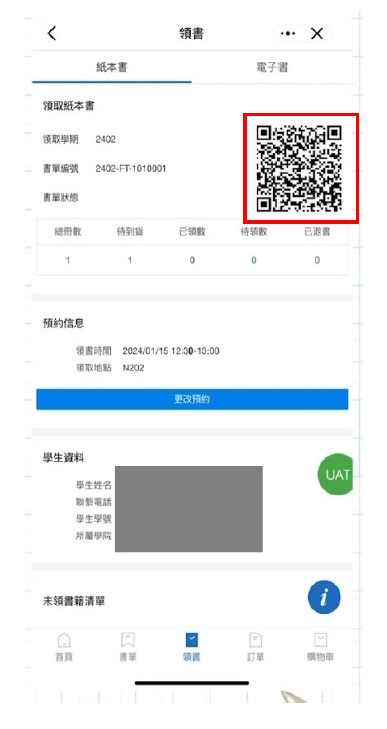
Collect textbooks by "Collection code" (red box on the right corner)

